


- Opis
- Dodatkowe informacje
- Recenzje (0)
- Zapytaj teraz
Opis
Novatsar VX600 is NovaStar’s new all-in-one controller that integrates video processing and video control into one box. Posiada 6 Porty Ethernet i obsługuje kontroler wideo, Konwerter światłowodowy i tryby pracy. A VX600 unit can drive up to 3.9 milion pikseli, z maksymalną szerokością i wysokością 10,240 piksele i 8192 pixels respectively, which is ideal for ultra-wide and ultra-high LED screens.
Novatsar VX600 is capable of receiving a variety of video signals and processing high-resolution images. Ponadto, Urządzenie ma stepless skalowanie wyjściowe, niskie opóźnienie, jasność na poziomie pikseli i kalibracja chromu i więcej, Aby przedstawić Ci doskonałe wrażenia z wyświetlania obrazu.
Co więcej, the VX600 can work with NovaStar’s supreme software NovaLCT and V-Can to greatly facilitate your infield operations and control, takie jak konfiguracja ekranu, Ustawienia kopii zapasowej portu Ethernet, Zarządzanie warstwą, wstępne zarządzanie i aktualizacja oprogramowania układowego.
VX600 Novastar LED Screen vx600 All-in-one Video Controller sone Features:
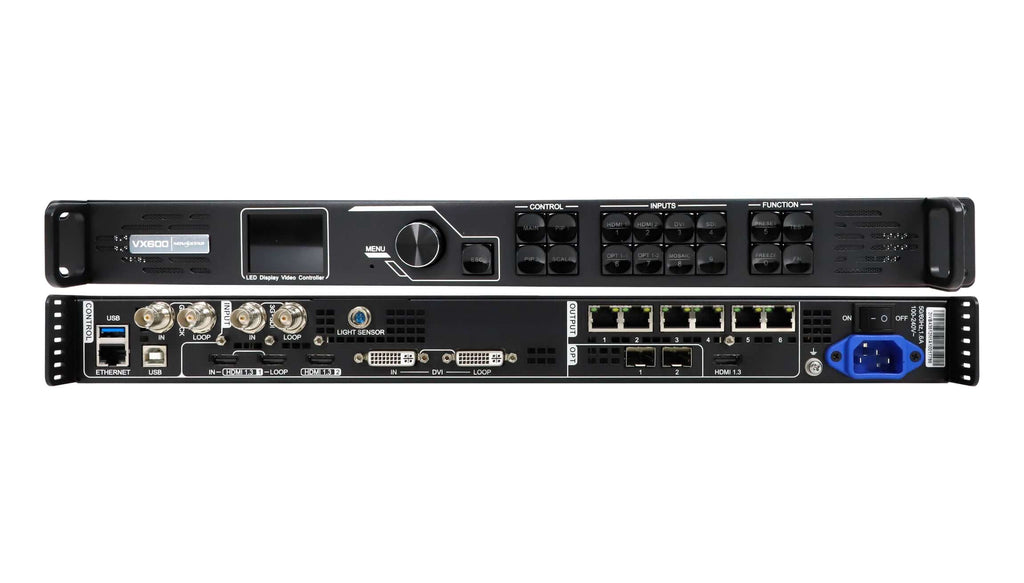
Input connectors
− 1x HDMI 1.3 (W & LOOP)
− 1x HDMI 1.3
− 1x DVI (W & LOOP)
− 1x 3G-SDI (W & LOOP)
− 1x 10G optical fiber port (OPT1)
Output connectors
− 6x Gigabit Ethernet ports
A single device unit drives up to 3.9 milion pikseli, with a maximum width of 10,240 piksele i maksymalna wysokość 8192 piksele.
− 2x Fiber outputs
OPT 1 copies the output on 6 Porty Ethernet.
OPT 2 copies or backs up the output on 6 Porty Ethernet.
− 1x HDMI 1.3
For monitoring or video output
·Self-adaptive OPT 1 for either video input or sending card output Thanks to the self-adaptive design, OPT 1 can be used as either an input or output connector, depending on its connected device.
Audio input and output
− Audio input accompanied with HDMI input source
− Audio output via a multifunction card
− Output volume adjustment supported
Notatka: If you want to know more features, click the link to download and view:
VX600-Novastar-LED-Screen-vx600-All-in-one-Video-Controller-Specification
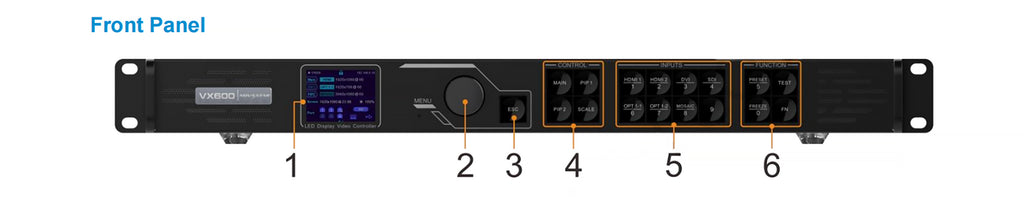
Wygląd:
|
NIE.
|
Area
|
Funkcjonować
|
| 1 |
LCD screen
|
Display the device status, menus, submenus and messages.
|
| 2 |
Knob
|
1):Rotate the knob to select a menu item or adjust the parameter value.
2):Press the knob to confirm the setting or operation.
|
| 3 |
ESC button
|
Exit the current menu or cancel an operation. |
| 4 |
Control area
|
1):Open or close a layer (main layer and PIP layers), and show the layer status.
Status LEDs:
− On (blue): The layer is opened.
− Flashing (blue): The layer is being edited.
− On (white): The layer is closed.
2):SCALE: A shortcut button for the full screen function. Press the button to make the layer of the lowest priority fill the entire screen.
Status LEDs:
− On (blue): Full screen scaling is turned on.
− On (white): Full screen scaling is turned off.
|
| 5 |
Input source
buttons
|
Show the input source status and switch the layer input source.
Status LEDs:
-On (blue): An input source is accessed.
-Flashing (blue): The input source is not accessed but used by the layer.
-On (white): The input source is not accessed or the input source is abnormal.
|
| 6 |
Shortcut function
buttons
|
1):PRESET: Access the preset settings menu.
2):TEST: Access the test pattern menu.
3):Freeze: Freeze the output image.
4):FN: A customizable button
|
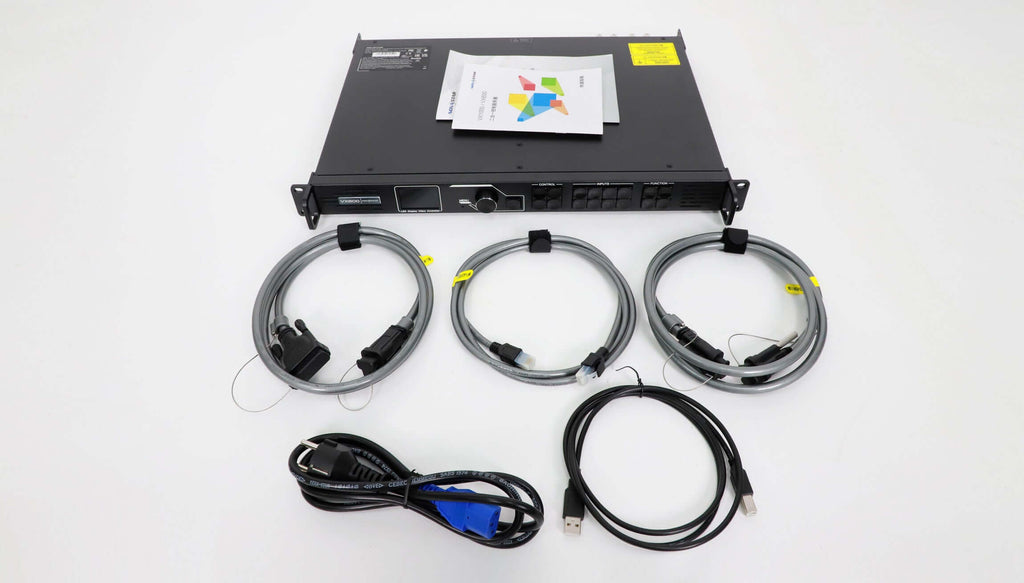
More Pictures of Novastar VX600 All-in-one LED Screen Video Controller:
Dodatkowe informacje
| Marka | Novastar |
|---|---|
| Kod produktu | Novastar-VX600 |


Recenzje
Nie ma jeszcze recenzji.