


- Deskripsyon
- Lòt enfòmasyon
- Revizyon (0)
- Mande kounye a
Deskripsyon
Novatsar VX600 is NovaStar’s new all-in-one controller that integrates video processing and video control into one box. It features 6 Ethernet ports and supports video controller, fiber converter and Bypass working modes. A VX600 unit can drive up to 3.9 milyon piksèl, with the maximum output width and height up to 10,240 piksèl ak 8192 pixels respectively, which is ideal for ultra-wide and ultra-high LED screens.
Novatsar VX600 is capable of receiving a variety of video signals and processing high-resolution images. Anplis de sa, the device features stepless output scaling, low latency, pixel-level brightness and chroma calibration and more, to present you with an excellent image display experience.
Ki sa ki nan plis, the VX600 can work with NovaStar’s supreme software NovaLCT and V-Can to greatly facilitate your infield operations and control, such as screen configuration, Ethernet port backup settings, layer management, preset management and firmware update.
VX600 Novastar LED Screen vx600 All-in-one Video Controller sone Features:
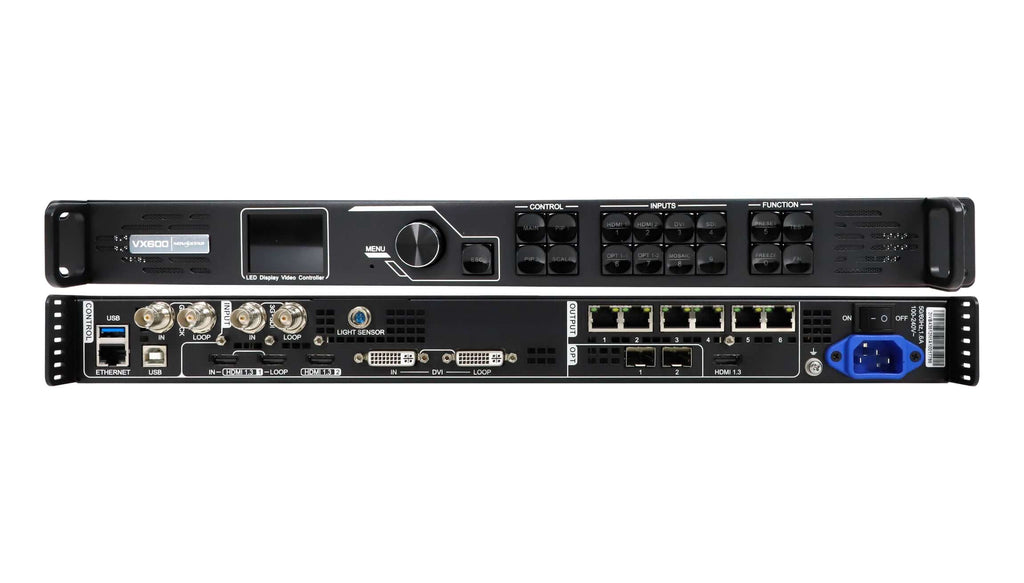
Input connectors
− 1x HDMI 1.3 (Nan & LOOP)
− 1x HDMI 1.3
− 1x DVI (Nan & LOOP)
− 1x 3G-SDI (Nan & LOOP)
− 1x 10G optical fiber port (OPT1)
Output connectors
− 6x Gigabit Ethernet ports
A single device unit drives up to 3.9 milyon piksèl, with a maximum width of 10,240 pixels and a maximum height of 8192 piksèl.
− 2x Fiber outputs
OPT 1 copies the output on 6 pò Ethernet.
OPT 2 copies or backs up the output on 6 pò Ethernet.
− 1x HDMI 1.3
For monitoring or video output
·Self-adaptive OPT 1 for either video input or sending card output Thanks to the self-adaptive design, OPT 1 can be used as either an input or output connector, depending on its connected device.
Audio input and output
− Audio input accompanied with HDMI input source
− Audio output via a multifunction card
− Output volume adjustment supported
Biyè: If you want to know more features, click the link to download and view:
VX600-Novastar-LED-Screen-vx600-All-in-one-Video-Controller-Specification
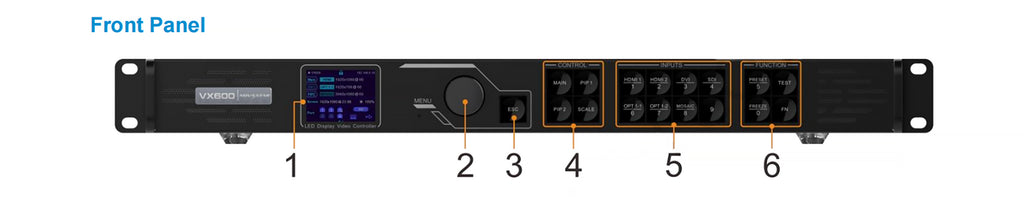
Aparisyon:
|
Non.
|
Area
|
Fonksyone
|
| 1 |
Ekran LCD
|
Display the device status, menus, submenus and messages.
|
| 2 |
Knob
|
1):Rotate the knob to select a menu item or adjust the parameter value.
2):Press the knob to confirm the setting or operation.
|
| 3 |
ESC button
|
Exit the current menu or cancel an operation. |
| 4 |
Zòn kontwòl
|
1):Open or close a layer (main layer and PIP layers), and show the layer status.
Status LEDs:
− On (blue): The layer is opened.
− Flashing (blue): The layer is being edited.
− On (blan): The layer is closed.
2):Echèl: A shortcut button for the full screen function. Press the button to make the layer of the lowest priority fill the entire screen.
Status LEDs:
− On (blue): Full screen scaling is turned on.
− On (blan): Full screen scaling is turned off.
|
| 5 |
Input source
buttons
|
Show the input source status and switch the layer input source.
Status LEDs:
-On (blue): An input source is accessed.
-Flashing (blue): The input source is not accessed but used by the layer.
-On (blan): The input source is not accessed or the input source is abnormal.
|
| 6 |
Shortcut function
buttons
|
1):PRESET: Access the preset settings menu.
2):TEST: Access the test pattern menu.
3):Freeze: Freeze the output image.
4):FN: A customizable button
|
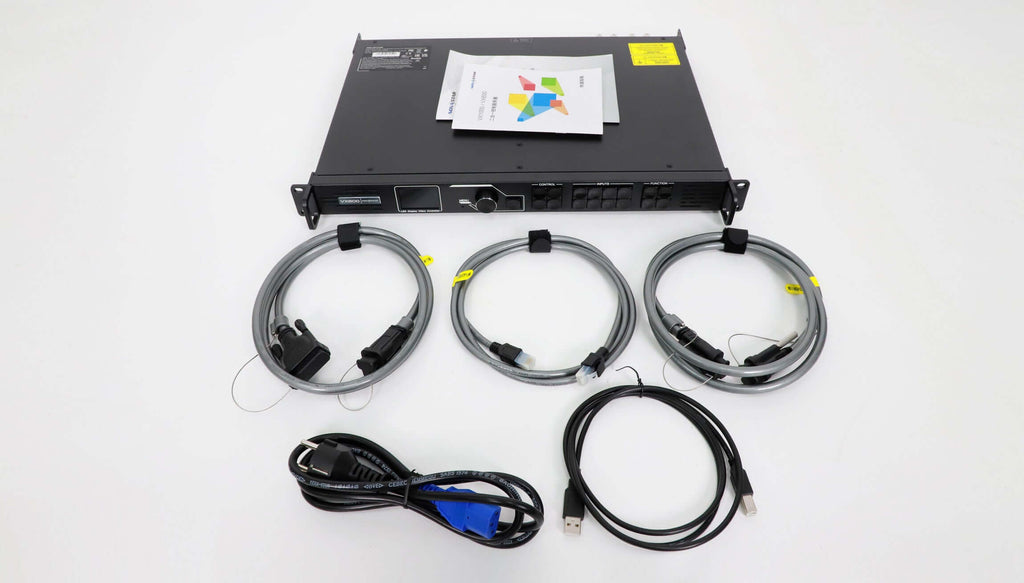
More Pictures of Novastar VX600 All-in-one LED Screen Video Controller:
Lòt enfòmasyon
| Make | Novastar |
|---|---|
| Kòd pwodwi | Novastar-VX600 |


Revizyon
Pa gen okenn revizyon ankò.